![Revised Logo_Cloud_Research_Logo_KO_final.svg]](https://go.cloudresearch.com/hubfs/Revised%20Logo_Cloud_Research_Logo_KO_final.svg)
If you accidentally reject a workers' submission or decide you want to reverse a rejection after corresponding with a worker, you can easily do so within CloudResearch. After you issue a rejection within a study, a Reverse Rejections button will appear under Options on your study dashboard.
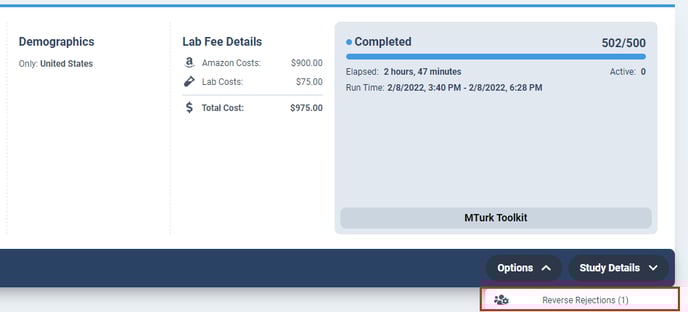
Once you click on the Reverse Rejections button, you will be taken to a page where you can manage rejections. Simply click to reverse the rejection and approve the worker. You can add a message if you wish. Once you click Save Changes the rejection will be reversed and the worker will be automatically paid.
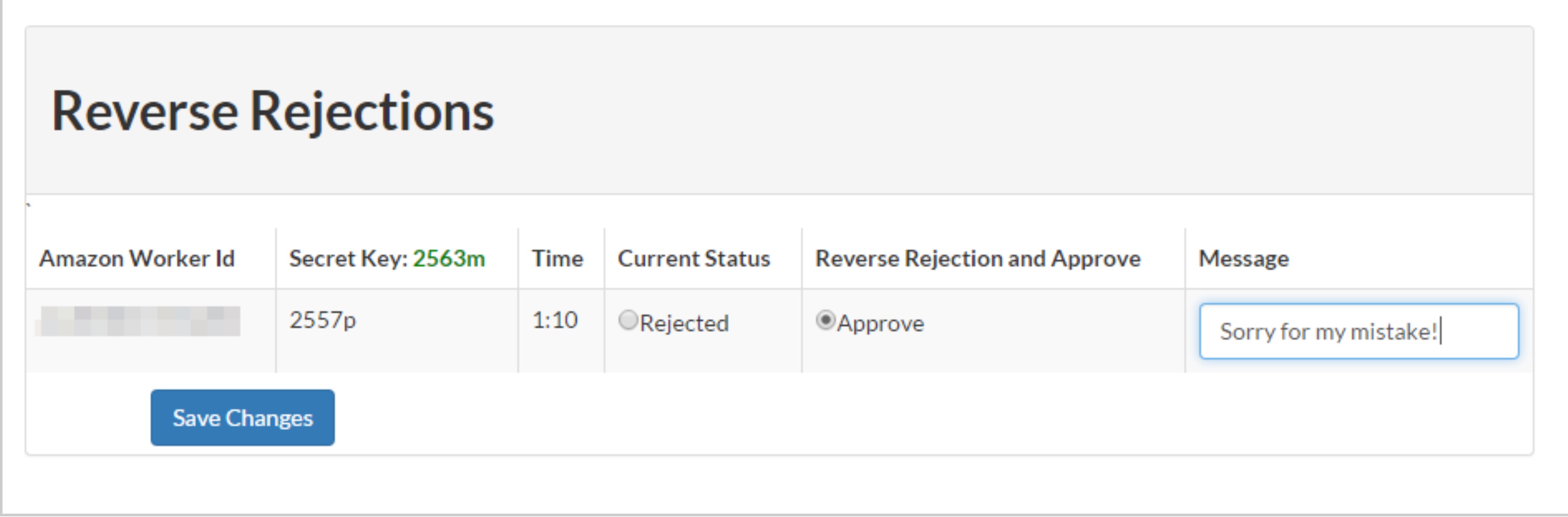
Note: In order to reverse a rejection, you must have enough money in your MTurk balance to cover the participant payment and MTurk fees.